
I Just Left a Private Meeting at Meta HQ. Here’s What Every Parent Needs to Know About Instagram Teen Accounts.

I’m going to be honest with you. When I got the invite to a private briefing at Meta’s New York headquarters, I wasn’t sure what to expect. I’ve been doing this long enough to know that “platform safety” conversations can feel like a lot of corporate speak. But I walked out of that room thinking: parents actually need to hear this.
So here I am, coming straight to you.
Instagram rolled out Teen Accounts in 2024, but not everyone is aware of the update.
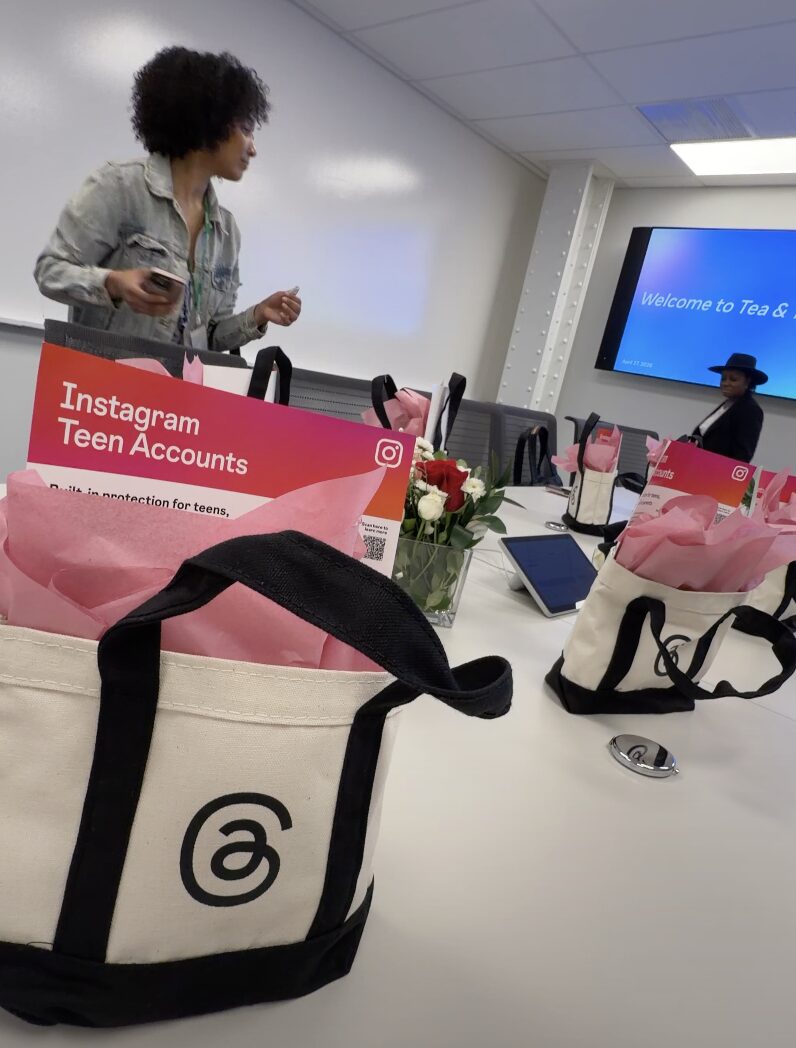
This isn’t a feature parents have to hunt down in settings. It’s not an optional add-on you have to know to ask for. These are default protections automatically applied to every teen on the platform. If your kid is under 18 and on Instagram, this is already in effect.
What Is a Teen Account, Exactly?
Instagram automatically places teens into Teen Accounts. No action is needed from you or your kid. And here’s the critical piece: teens under 16 cannot change any of these settings without a parent’s approval. Teens who are 16 or 17 have a little more autonomy, but they still need parental sign-off to loosen anything.
The 8 Protections That Are On By Default
I took notes because I wanted to bring this back to you exactly as it was explained to us. Here’s what’s built in:
1. Content Filtering The default is set to 13+. Your teen needs your permission to change it to something less restrictive. There’s also a “Limited Content” option if you want even tighter guardrails.
2. Private Accounts Teen Accounts are private by default. Your kid has to approve followers, and anyone who doesn’t follow them can’t see their content or interact with them at all.
3. Messaging Restrictions This one hit me. Strangers cannot DM your kid. Full stop. The default is Instagram’s strictest messaging setting. Teens can only receive messages from people they already follow or are already connected to.
As a mother of a daughter who used to receive PLENTY of messages from older men, this one update is AMAZING!
4. Limited Interactions Teens can only be tagged or mentioned by people they follow. Instagram also automatically turns on Hidden Words, which acts as an anti-bullying feature and filters offensive language out of comments and message requests.
5. Time Limit Reminders After 60 minutes on the app in a day, teens get a notification nudging them to log off. It’s not a hard cutoff, but it’s something. This time cap can be changed at the parents’ discretion. Do you want your kids to have 2 hours a day? 30 minutes? Up to you! It’s also negotiable.
6. Sleep Mode From 10 PM to 7 AM, Instagram mutes notifications and auto-replies to any DMs your teen receives. The late-night scroll-and-ping cycle? Much harder to sustain with this in place. Again, this can be adjusted.
7. Restrictions on Going Live Teens are automatically restricted from using Instagram Live. For anyone who’s worried about their kid broadcasting to strangers in real time.
8. Protection Against Unwanted Images in DMs Suspected nude images in DMs are automatically blurred, and teens are warned about the risks of sending them. I don’t need to say much more about why this one is important.
What Should You Do Right Now?
Even with all of this in place, Instagram recommends that parents set up direct supervision through the app. You can link your account to your teen’s, monitor their settings, see how much time they’re spending on the platform, and get alerts if they report something.
A few things worth doing today:
- Verify your teen’s account is already in Teen Account mode (it should be automatic, but worth a look)
- Set up parental supervision through Instagram’s Family Center
- Have a real conversation with your kid about these changes. Don’t treat it as a “gotcha,” but an actual discussion about why these protections exist and what they’re for
- If you want even stricter controls, check out the Limited Content option
More rollouts are coming up. Stay tuned for the news.